

Shared hosting is cheaper; a VPS gives you more control and reserved resources. For many website owners, the biggest decision is whether to start on shared hosting or move straight to a VPS.
Both make your website accessible online, but they differ in how server resources are allocated, how performance is managed, and how much control you have.
Some websites run perfectly for years on shared hosting. Others quickly outgrow it and need more server resources.
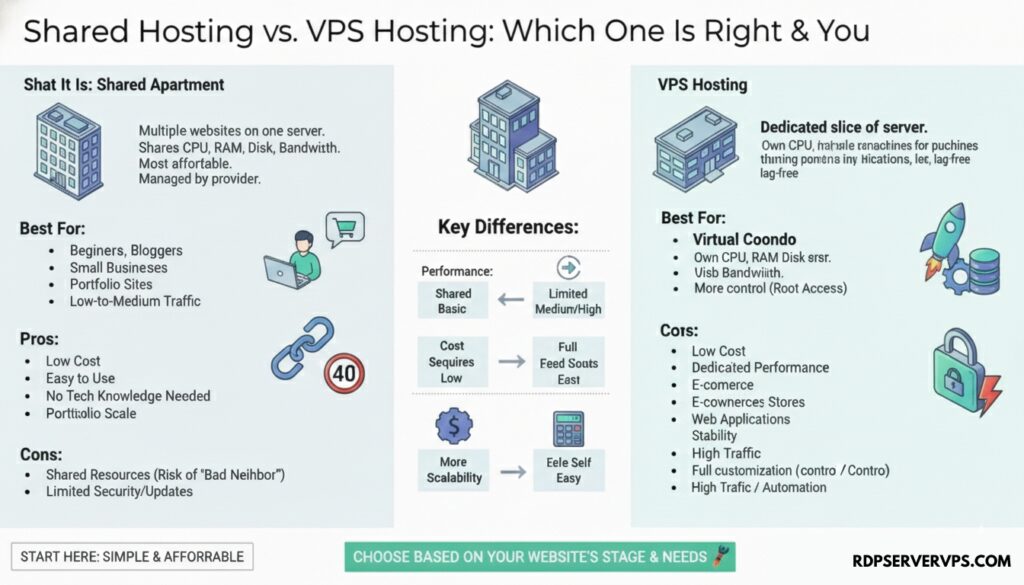
What Is Shared Hosting?
Shared hosting is a type of hosting where multiple websites live on the same physical server and share its resources.
Think of shared hosting as a city bus: cheap, simple and shared with other riders. A VPS is a rented car: it costs more, but you decide the route and the seats are yours.
How Shared Hosting Works
Your hosting provider manages the server completely. They handle:
- Server maintenance
- Security updates
- Software setup
- Technical monitoring
You upload your website, manage it through a control panel, and focus on your content or business. Most shared plans include a control panel, one-click installs and email accounts.
Benefits of Shared Hosting
1. Very Affordable
Shared hosting is often the cheapest way to host a website. It is a good fit for anyone starting online without a big budget.
2. Easy to Use
No technical knowledge required. The provider manages the server, security and updates.
3. Good Enough Speed for Small Sites
Shared hosting can be fast enough for small sites if the host is well run.
Limitations of Shared Hosting
Typical limits include CPU and RAM caps per account and slower speeds during traffic spikes.
- Resources are shared with other websites.
- Heavy traffic on one site can affect others.
- Server customization is limited.
For most sites, these limits never become an issue. For fast-growing or high-traffic projects, they can.
What Is VPS Hosting?
A VPS divides one physical server into isolated virtual servers, each with its own allocated CPU, RAM, storage and operating system. This page focuses on how a VPS compares with shared hosting. For the full explanation, read What Is VPS Hosting.
What You Get with a VPS
Hypervisor software creates multiple virtual servers on one machine, so a VPS behaves like a mini dedicated server. It sits between shared hosting and dedicated servers in power and price.
- Root or admin access and full software control, including custom configurations.
- Reserved performance: your site is rarely affected by other users, and pages stay fast under higher traffic because CPU and RAM are allocated to you.
- Easy scaling: upgrade RAM, CPU and storage as your website grows.
Limitations of VPS Hosting
- Higher cost than shared hosting.
- Server management: an unmanaged VPS means you handle updates, backups and security yourself. A managed VPS takes that off your hands for an extra fee.
Core Differences
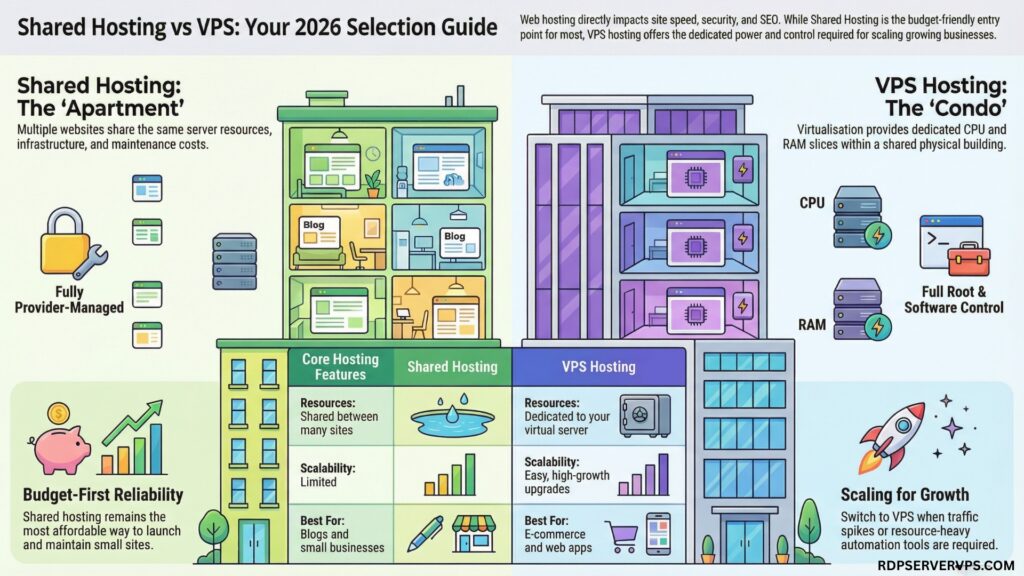
Here is how the two compare:
| Feature | Shared Hosting | VPS Hosting |
| Resources | Shared between many sites | Dedicated to your VPS |
| Performance | Good for small to medium sites | High & consistent |
| Cost | Shared from $2-10/mo | VPS from $4.99/mo |
| Control | Limited | Full control |
| Scalability | Limited | Easy upgrades |
| Security | managed by host | isolated, but you patch it (unless managed) |
| Best For | Blogs, startups, small businesses | Growing sites, e-commerce, apps |
Performance, SEO and Reliability
From an SEO perspective, hosting affects:
- Page speed
- Uptime
- User experience
- Core Web Vitals, which measure loading, interactivity and layout stability
Shared hosting performs surprisingly well when properly managed. If pages slow down during traffic spikes, check your CPU and RAM usage first. If you keep hitting the limit, a VPS is the next step.
How a VPS Compares with Dedicated and Cloud Hosting
A dedicated server means you rent an entire physical server alone. It costs more and usually needs more management. In short: shared hosting is the cheapest and easiest option, a VPS balances power and price, and a dedicated server gives the most power at the highest cost. If you compare dedicated plans by network speed, check how a 10Gbps backbone differs from per-server bandwidth.
Cloud hosting spreads your site across multiple servers instead of one. A VPS is one physical server split into virtual slices, while cloud hosting uses several connected servers. Many VPS plans run on cloud infrastructure, so the line between the two is blurry.
Who Should Choose Shared Hosting?
Shared hosting is a good fit if:
- You are launching a new website.
- You have low to medium traffic.
- You want minimal technical work.
- You are on a budget.
- You run blogs, portfolios or business sites.
Who Should Choose VPS Hosting?
A VPS makes sense if:
- Your traffic is growing fast.
- Your site feels slow on shared hosting.
- You run e-commerce or web apps.
- You need custom server setups.
- You use automation or heavy tools.
Shared vs VPS Costs
Shared hosting plans often start low and stay affordable for years. A VPS costs more, especially when you add:
- Server management or a managed-service fee
- Security tools
- Backups
- Monitoring
If you outgrow shared hosting, see our VPS plans.
Which Should You Choose?
If you are starting out, choose shared hosting. Move to a VPS when traffic, security or control needs outgrow it. Check your CPU and RAM usage and your monthly visits, then pick a plan.
Frequently Asked Questions About Shared Hosting vs VPS Hosting
1. What is shared hosting, and who should use it?
Shared hosting puts many sites on one server. It suits beginners and small websites.
2. What is VPS hosting, and how is it different from shared hosting?
A VPS gives you reserved CPU and RAM plus root access, so other accounts do not use your allocation.
3. Is VPS hosting better for SEO than shared hosting?
A VPS can improve load times, but uptime depends on the provider. Hosting also affects TTFB and Core Web Vitals, yet a well-Optimized shared site can rank fine.
4. When should you upgrade from shared hosting to VPS hosting?
Upgrade when you hit CPU or RAM limits, see 503 errors, or need root access.